Most field service software still assumes the operator is standing still, fully focused on a screen, with both hands free.
That is almost never true.
A technician is climbing, carrying, measuring, unscrewing, testing, driving to the next site, or talking to a client. The phone is critical to the workflow, but using it often interrupts the work itself.
That is the gap we are trying to close with HummWork.
The Workflow We Actually Designed For
At hummlab, we are building HummWork as a mobile app for field technicians. The goal is not to add “AI features” on top of a standard task app. The goal is to reduce the amount of tapping needed to move through a real service job.
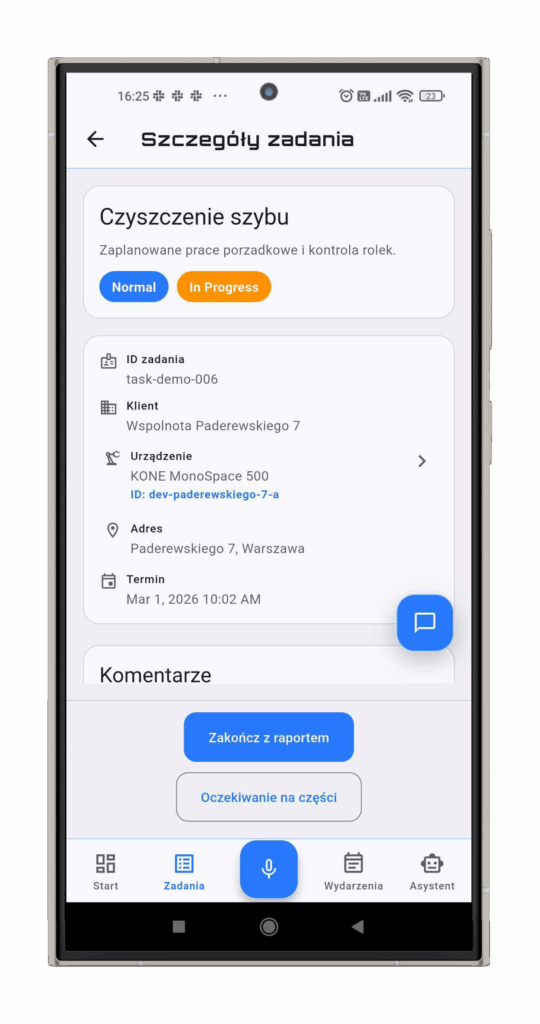
In the current app flow, a technician can:
- review today’s task list and dashboard
- open a specific task and inspect its details
- scan a QR code or enter a device ID manually,
- view device history and open navigation,
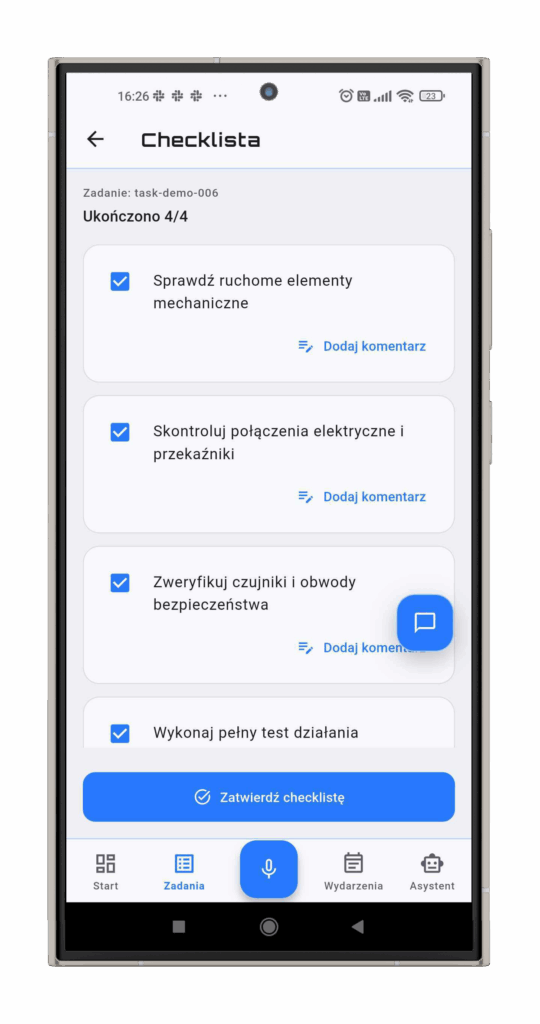
- complete a checklist,
- log used parts,
- write and submit a service report,
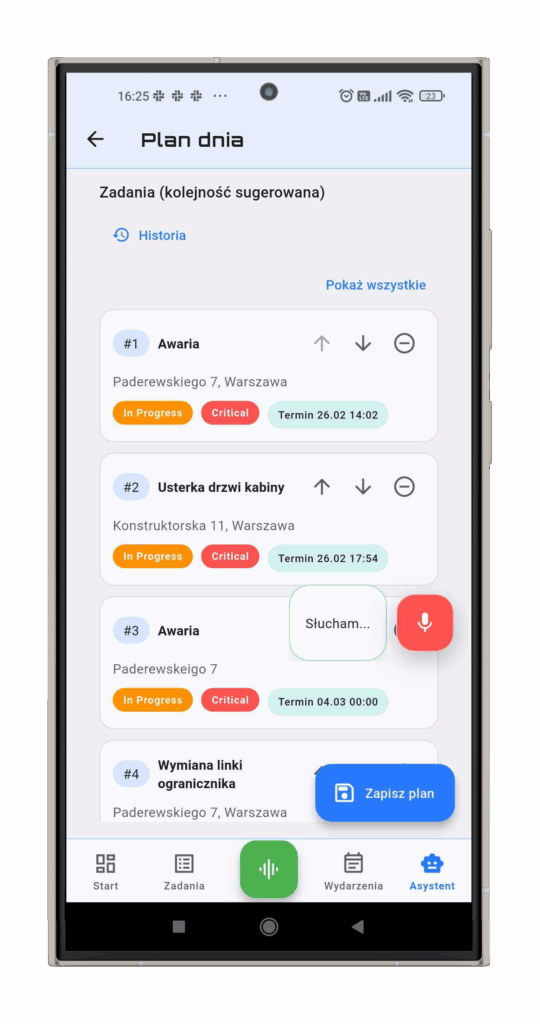
- review events and build a day plan,
- use voice to navigate and trigger many of these actions faster.
That matters because this is not one isolated “assistant” screen. It is a connected service workflow.
What Makes The App Different
The most interesting part of HummWork is the voice layer.
Once voice mode is enabled, the app can stay in a continuous listening workflow instead of forcing the user to tap a microphone button before every command. From there, voice is not treated like a gimmick. It is wired into the actual task flow: task navigation, checklist actions, parts usage, report editing, report submission, and some assistant/day-plan actions.
A realistic session looks more like this:
> “Open the next task.”
> “Open the checklist.”
> “Mark pressure test as done.”
> “Add gasket, quantity two.”
> “Open the report.”
> “Add note: replaced seal and restored pressure.”
> “Submit the report.”
That sequence maps closely to what the app already supports.
Just as importantly, HummWork still works like a normal mobile app. There are standard screens for tasks, reports, parts, signatures, device details, QR scanning, and planning. Voice is an input layer on top of the workflow, not a separate product living next to it.
What Makes This Approach Credible
A few things are already clear in the product itself:
– the app is built around field operations rather than generic CRM-style forms,
– the service workflow is split into dedicated modules: tasks, checklist, parts usage, service report, device lookup, and assistant,
– voice commands are routed with screen context, so the app keeps track of the active module and active task,
– different intent types use different confidence thresholds,
– riskier actions such as report submission or task status changes are treated more carefully than simple navigation,
– feature-specific “voice bridges” connect the voice layer to existing state management instead of bypassing the app architecture,
– the service report screen aggregates checklist items, parts used, and signature data into one flow.
This architecture choice is important. It means voice does not directly mutate UI widgets in an ad hoc way. The app resolves intents, then hands structured actions to the same logic that powers the standard interface.
That is a much more serious approach than bolting a chatbot onto a mobile screen and calling it product innovation.
The Design Problem Is Not “Mobile.” It Is Hands-Busy.
The industry has spent years optimizing mobile apps for thumbs.
But field work is not a thumbs problem. It is a hands-busy problem.
That changes the design priorities completely:
– navigation has to be fast,
– context switching has to be cheap,
– voice commands need to work inside the current screen, not just at the top level,
– confirmations matter when an action changes task status or submits a report,
– scanning and manual fallback both matter,
– the app has to support short, interrupted interactions instead of perfect linear sessions.
That is why HummWork combines standard mobile UI with context-aware voice control, QR/device lookup, reporting, and planning. The ambition is not to make technicians talk to AI for the sake of it. The ambition is to remove unnecessary friction from the job.
What We Are Exploring Next
The current app already shows the shape of the product: a field operations workflow with voice built into the core experience.
The next step is not “more AI.” It is better operational usefulness:
– stronger support for noisy, real-world service environments,
– broader integrations with external service systems,
– more robust low-friction report creation,
– more adaptable command vocabularies for different teams and industries,
– continued work on planning and assistant flows that help technicians move through the day faster.
This is still an actively evolving product, but the direction is clear.
Field service apps should not force technicians to stop working just to operate the software. HummWork is our attempt to build a tool that fits the job instead of interrupting it.
*HummWork is in active development at hummlab. If you are working on field operations, service workflows, or technician tooling, we would be glad to talk.*